
Flexible Two-Link Pendulum from Explicit Modal Data#
This notebook walks you through creating and running a flexible two-link pendulum using embedded mass properties and modal data. No FEMBridge H5 file or external model resources are needed.
Complete the Flexible Two-Link Pendulum from FEMBridge H5 File before working through this example. That tutorial introduces the flexible links and their connections using the FEMBridge H5 reader. Here, we build the same system by supplying those parameters directly.
import atexit

import numpy as np
import Karana.Dynamics as kd
import Karana.Integrators as ki
import Karana.Math as km
import Karana.Models as kmdl
from Karana.KUtils.Sim import Sim
from Karana.Math.Kquantities import ureg
Create the Simulation#
As in the Flexible Two-Link Pendulum from FEMBridge H5 File example, use Karana.KUtils.Sim.Sim to manage the Karana.Dynamics.Multibody, Karana.Dynamics.StatePropagator, and Karana.Frame.FrameContainer.
sim: Sim = Sim()
Define the Flexible-Body Data#
The cell below contains all the flexible-body data for both links. Stiffness and damping describe each mode’s response. The pnode matrices describe deformation at a link’s attachment to its parent; the onode matrices describe deformation of the parent link where the second link attaches.
Create the First Link#
Karana.Dynamics.PhysicalModalBodyParams collects the mass properties, hinge parameters, and modal data for a flexible body.
Use Karana.Dynamics.PhysicalHingeParams to define a revolute hinge about the y-axis. Karana.Dynamics.ParentPhysicalBodyAttachmentParams places the first link’s attachment at the virtual root. The pnode is at one end of the beam.
Create a Karana.Dynamics.PhysicalModalBody, connect it with a Karana.Dynamics.PhysicalHinge, and apply the parameters using setParams().
link_1_params: kd.PhysicalModalBodyParams = kd.PhysicalModalBodyParams(
    # 'link_1' mass properties
    spatial_inertia=km.SpatialInertia(
        240.0 * ureg.kilogram,
        np.array([0.75, 0.0, -0.0]) * ureg.meter,
        np.array(
            [
                [1.0000079870224, 0.0, 0.0],
                [0.0, 180.03599548339844, 0.0],
                [0.0, 0.0, 180.03599548339844],
            ]
        )
        * ureg.kilogram
        * ureg.meter**2,
    ),
    # Define the attachment of 'link_1' to its parent body
    body_to_joint_transform=km.HomTran(
        km.UnitQuaternion(np.array([0.0, 0.0, 0.0, 1.0])),
        np.array([0.0, 0.0, 0.0]) * ureg.meter,
    ),
    # define the 'link_1' parent hinge type and parameters
    hinge_params=kd.PhysicalHingeParams(
        hinge_type=kd.HingeType.REVOLUTE,
        subhinge_params=[
            kd.PinSubhingeParams(
                unit_axis=np.array([0.0, 1.0, 0.0]),
                prescribed=False,
            ),
        ],
    ),
    # Define the location and orientation of the 'link_1' parent hinge
    # relative to the parent body's frame
    parent_body_attachment_params=kd.ParentPhysicalBodyAttachmentParams(
        inb_to_joint_transform=km.HomTran(
            km.UnitQuaternion(np.array([0.0, 0.0, 0.0, 1.0])),
            np.array([0.0, 0.0, 0.0]) * ureg.meter,
        )
    ),
    scene_part_specs=[],
    scene_file_object_specs=[],
    nmodes=30,
    stiffness=stiffness,
    damping=damping,
    # Rotational nodal matrix for the body's pnode. Size (3 x 30)
    pnode_rotational_nodal_matrix=pnode_rotational_nodal_matrix,
    # Translational nodal matrix for the body's pnode. Size (3 x 30)
    pnode_translational_nodal_matrix=pnode_translational_nodal_matrix,
)

# Create the 'link_1' body
link_1: kd.PhysicalModalBody = kd.PhysicalModalBody.create("link_1", sim.mb, 30)

# Connect the 'link_1' body to its parent via a hinge
kd.PhysicalHinge(sim.mb.virtualRoot(), link_1, kd.HingeType.REVOLUTE)

# Set the parameters for the 'link_1' body
link_1.setParams(link_1_params)
Attach the Second Link#
Deep-copy the first link’s parameters to reuse the identical beam data. Replace the parent attachment with Karana.Dynamics.ParentPhysicalModalBodyAttachmentParams, which includes the far-end transform and the parent’s onode matrices. The second link keeps its own near-end pnode matrices.
This is the equivalent to adding the parent attachment with the FEMBridge reader in the Flexible Two-Link Pendulum from FEMBridge H5 File example.
link_2_params = link_1_params.model_copy(deep=True)
# Define the location and orientation of the 'link_2' parent hinge
# relative to the parent body's frame
link_2_params.parent_body_attachment_params = kd.ParentPhysicalModalBodyAttachmentParams(
    inb_to_joint_transform=km.HomTran(
        km.UnitQuaternion(np.array([0.0, 0.0, 0.0, 1.0])),
        np.array([1.5, 0.0, 0.0]) * ureg.meter,
    ),
    onode_rotational_nodal_matrix=onode_rotational_nodal_matrix,
    onode_translational_nodal_matrix=onode_translational_nodal_matrix,
)

# Create the 'link_2' body
link_2: kd.PhysicalModalBody = kd.PhysicalModalBody.create("link_2", sim.mb, 30)

# Connect the 'link_2' body to its parent via a hinge
kd.PhysicalHinge(link_1, link_2, kd.HingeType.REVOLUTE)

# Set the parameters for the 'link_2' body
link_2.setParams(link_2_params)
del link_1_params, link_2_params

# Finalize the multibody for the added bodies
sim.mb.ensureHealthy()
Add Gravity#
Use Karana.Models.UniformGravity and Karana.Models.Gravity to apply gravity in the negative z-direction.
uniform_gravity = kmdl.UniformGravity("uniform_gravity")
uniform_gravity.setGravity(
    np.array([0.0, 0.0, -9.81]) * ureg.meter / ureg.second**2,
    0.0,
    kmdl.OutputUpdateType.PRE_HOP,
)
grav_model = kmdl.Gravity("grav_model", sim.sp, uniform_gravity, sim.sp.getSubTree())
del grav_model, uniform_gravity
Set the Initial State#
Reset the multibody and set the hinge angles to 110° and 15°. Both links start at rest with zero modal coordinates, so releasing them produces swinging motion and flexible deformation.
sim.mb.resetData()
link_1.parentHinge().subhinge(0).setQ(110.0 * ureg.deg)
link_2.parentHinge().subhinge(0).setQ(15.0 * ureg.deg)
True
Configure the Integrator#
Here, we configure the integrator. The performance of flexible-body problems in particular is sensitive to the integrator chosen. kdFlex offers a large variety of integrators and options to meet simulations’ needs. Here, SUNDIALS’s ARKODE’s implicit ESDIRK45 method does well.
integrator_options = ki.ArkImplicitIntegratorOptions()
integrator_options.rtol = 1e-5
integrator_options.atol = 3e-8
integrator_options.max_nl_iters = 5
sim.sp.setIntegrator(ki.IntegratorType.ARKIMPLICIT_ESDIRK45, integrator_options)

sim.sp.ensureHealthy()
sim.sp.hardReset()
sim.sp.setState(sim.sp.assembleState())

# Here, a maximum hop size is added so we get visualization updates every 1/60 seconds
sim.sp.setMaxHopSize(1.0 / 60.0)
Open the kdFlex Viewer#
Use setupGui() to open the viewer and set the camera position. This cell is optional if you only want to run the dynamics.
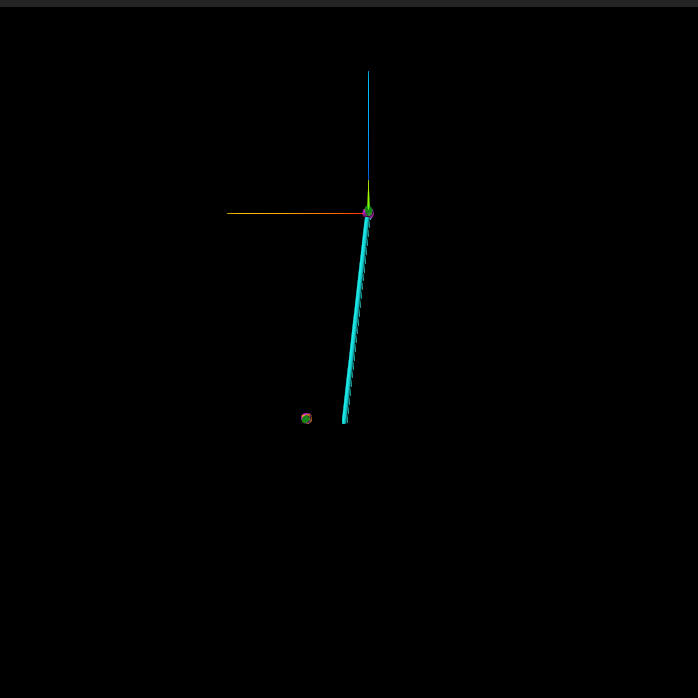
This standalone model includes the joint coupling matrices, but no sensor nodes along the beams. Its stick view shows the connected body and joint frames, but graphics do not show the detailed bending shape like in the Flexible Two-Link Pendulum from FEMBridge H5 File example. This motions affect on the dynamics is still captured numerically, but it is just not shown graphically.
# Set the stick parts to be a bit larger so they are easier to see
sim.mb.createStickParts()
sim.mb.scaleStickParts(5.0)

# Create the GUI and set the camera location
sim.setupGui(port=0)
target = sim.mb.virtualRoot().frameToFrame(link_2).relTransform().getTranslation().m
sim.mb.getScene().viewAroundFrame(
    sim.mb.virtualRoot(),
    target + np.array([0.0, 6.0, 0.0]),
    target,
    np.array([0.0, 0.0, 1.0]),
)
[WebUI] Karana Viewer is running on port 35899
Open this URL to connect:
	http://newton:35899
Run the Simulation#
Advance to 10 seconds.
sim.sp.advanceTo(10.0)
<SpStatusEnum.REACHED_END_TIME: 1>
Clean Up the Simulation#
Below, we cleanup our simulation.
def cleanup() -> None:
    """Cleanup the simulation."""
    global link_1, link_2, sim
    del link_1, link_2, sim


atexit.register(cleanup)
<function __main__.cleanup() -> None>