
Cart Pole Reinforcement Learning#
This notebook demonstrates implementing a custom Gymnasium environment using kdFlex. By implementing the simple Cart Pole scenario in a Gymnasium class, any machine learning library that is compatible with Gymnasium can be trained on the scenario. This tutorial consists of 2 parts: building the environment and training a model on the environment.
Requirements:
In this tutorial we will:
Implement gymnasium.Env
Create the multibody
Add visual geometries
Setup the simulation
Environment attributes
Setup helpers
Reset the environment
Step the environment
Train the model
Load the environment
Train a DQN model
Test model performance
Scripts:
For a more in-depth descriptions of kdflex concepts see usage.
First lets verify that the reinforcement learning packages are installed:
try:
    import stable_baselines3
    import gymnasium
except ModuleNotFoundError:
    raise ModuleNotFoundError(
        "Please ensure that the following python packages are installed:\n"
        "    stable-baseline3 gymnasium"
    )
Implement gymnasium.Env#
Because classes can’t be split across notebook cells, we will show snippets of code with explanations. The full class is found at env.py.
import numpy as np
from math import pi
from typing import cast
import gymnasium as gym
from typing import Optional

from Karana.Frame import FrameContainer
from Karana.Core import discard, allFinalized
from Karana.Dynamics import (
    Multibody,
    HingeType,
    StatePropagator,
    TimedEvent,
    PhysicalBody,
    PhysicalHinge,
    LinearSubhinge,
    PinSubhinge,
)
from Karana.Math import UnitQuaternion, HomTran, SpatialInertia
from Karana.Scene import (
    BoxGeometry,
    CylinderGeometry,
    Color,
    PhysicalMaterialInfo,
    PhysicalMaterial,
    LAYER_GRAPHICS,
)
from Karana.Scene import ProxyScenePart, ProxyScene
from Karana.Models import UniformGravity, UpdateProxyScene, SyncRealTime
from Karana.Math import IntegratorType
Create the Multibody#
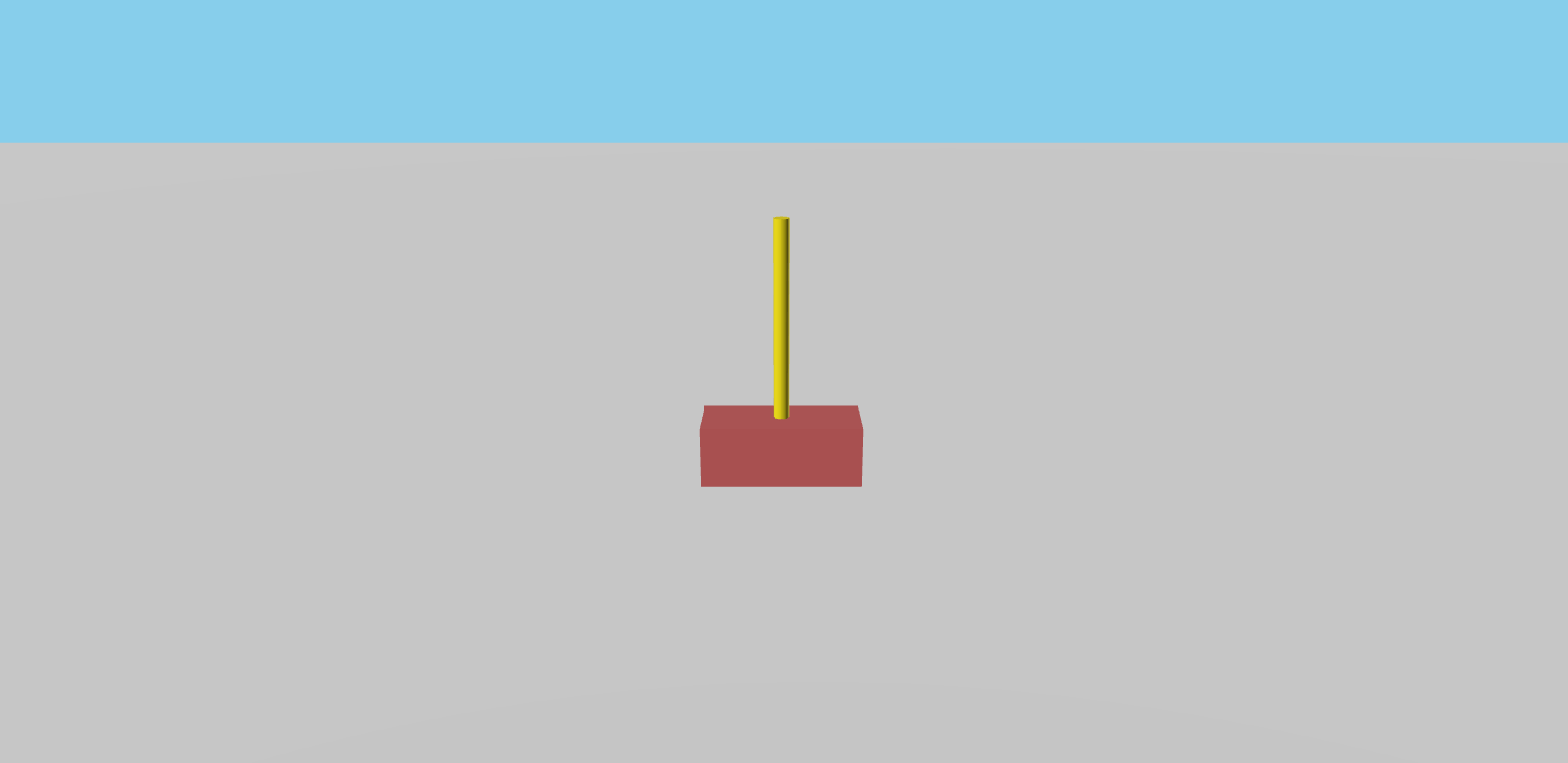
We create the cart by defining a physical cart and attaching it to the Multibody root using a slider hinge, allowing it to slide back and forth along 1 axis.
The pole requires a specific inertia matrix, as the velocity which the cart is moved by a force depends on the angle of the pole. This can be calculated using a mass moment of inertia calculator. From there, the end of the pole is attached by a pin to swing like a pendulum, and transforms are defined to place where the body and joint are relative to each other.
# create a cart and a pole multibody system
def create_multibody(fc: FrameContainer) -> tuple[LinearSubhinge, PinSubhinge, Multibody]:
    mb = Multibody("mb", fc)

    # add a cart of mass 1.0kg and 0.4 x 0.2 x 0.15 (L, W, H)
    cart_height = 0.15
    cart = PhysicalBody("cart", mb)
    cart.setSpatialInertia(SpatialInertia(1.0, np.zeros(3), np.eye(3)))
    slider_hinge = PhysicalHinge(mb.virtualRoot(), cart, HingeType.SLIDER)
    slider_subhinge = cast(LinearSubhinge, slider_hinge.subhinge(0))
    slider_subhinge.setUnitAxis([1, 0, 0])
    cart_to_slider = HomTran([0, 0, 0])
    cart.setBodyToJointTransform(cart_to_slider)

    # add a pole of mass 0.1 kg, and 0.02 x 0.5 (R, L)
    pole_length = 0.5
    pole = PhysicalBody("pole", mb)
    inertia_matrix = np.diag([0.0020933, 0.0020933, 0.00002])
    pole.setSpatialInertia(SpatialInertia(0.1, [0, 0, 0], inertia_matrix))
    pin_hinge = PhysicalHinge(cart, pole, HingeType.PIN)
    pole_to_pin = HomTran([0.0, 0.0, -(pole_length / 2.0)])
    pole.setBodyToJointTransform(pole_to_pin)
    cart_to_pin = HomTran([0.0, 0.0, (cart_height / 2.0)])
    pin_hinge.onode().setBodyToNodeTransform(cart_to_pin)
    pin_subhinge = cast(PinSubhinge, pin_hinge.subhinge(0))
    pin_subhinge.setUnitAxis([0, 1, 0])

    # check
    mb.ensureCurrent()
    mb.resetData()
    assert allFinalized()
    return slider_subhinge, pin_subhinge, mb
Add Visual Geometries#
This is purely for visualization.
# add a visual rectangle and cylinder
def add_geometries(mb: Multibody, proxy_scene: ProxyScene) -> None:
    box_geom = BoxGeometry(0.4, 0.2, 0.15)
    cylinder_geom = CylinderGeometry(0.02, 0.5)
    mat_info = PhysicalMaterialInfo()
    mat_info.color = Color.FIREBRICK
    firebrick = PhysicalMaterial(mat_info)
    mat_info.color = Color.GOLD
    gold = PhysicalMaterial(mat_info)
    mat_info.color = Color.WHITE
    white = PhysicalMaterial(mat_info)

    # add geometry to bodies
    cart_body = ProxyScenePart(
        "cart_body", scene=proxy_scene, geometry=box_geom, material=firebrick, layers=LAYER_GRAPHICS
    )
    cart_body.attachTo(mb.getBody("cart"))
    pole_body = ProxyScenePart(
        "pole_body", scene=proxy_scene, geometry=cylinder_geom, material=gold, layers=LAYER_GRAPHICS
    )
    pole_body.setUnitQuaternion(UnitQuaternion(pi / 2, [1, 0, 0]))
    pole_body.attachTo(mb.getBody("pole"))

    # add a floor
    ground_geom = BoxGeometry(20, 20, 0.5)
    ground = ProxyScenePart(
        "ground", scene=proxy_scene, geometry=ground_geom, material=white, layers=LAYER_GRAPHICS
    )
    ground.setTranslation([0, 0, -0.325])
Initialize Attributes#
In gymnasium, Environments must implement a few key attributes for users and models to train on. For simplicity, we will only implement the most important ones of action_space, observation_space, and np_random.
observation_space defines the bounds of data that is input into the model. Here, our model sees a size 4 numpy array of the cart position, cart velocity, pin angle, and pin angular velocity.
action_space defines which actions an Agent may take. Here, the agent can choose either 0 or 1, which we convert into a negative or positive force.
np_random is a random number generator which can be seeded for reproducibility.
render_mode determines whether or not to show graphics visualizations. “none” is faster, but shows no graphics while human renders the webscene.
class CartPoleEnv(gym.Env):
    metadata = {"render_modes": ["human", "none"]}

    def __init__(
        self,
        render_mode: Optional[str] = None,
        port: int = 0,
        sync_real_time: bool = False,
        **kwargs,
    ):
        self.render_mode = "none"
        if render_mode and render_mode in self.metadata["render_modes"]:
            self.render_mode = render_mode

        # init simulation
        self.init_sim(port=port, sync_real_time=sync_real_time)

        # observation space of [cart pos, cart vel, pin pos, pin vel]
        low = np.array([-1.5, -2, -pi / 3, -6.0], dtype=np.float32)
        high = np.array([1.5, 2, pi / 3, 6.0], dtype=np.float32)
        self.observation_space = gym.spaces.Box(low=low, high=high, dtype=np.float32, shape=(4,))

        # action space of negative or positive force on cart
        self.action_space = gym.spaces.Discrete(2)
        self._action_to_force = {0: -10.0, 1: 10.0}

        # initialize values
        self._cart_pos = None
        self._cart_vel = None
        self._pin_pos = None
        self._pin_vel = None
        self.np_random = None
        self._force = None
        self._terminate = None
Setup the Simulation#
We now follow the essential simulation procedures that are explained in the 2-link pendulum example. This time however, we use attach two new callback functions to the StatePropagator.
Karana.Dynamics.SpFunctions.pre_deriv_fnsis used to apply the force which the agent selects to the slider hinge. it must be called in the pre_derivative for the force to be properly evaluated.Karana.Dynamics.SpFunctions.terminate_advance_to_fnswill check for a terminating condition at the end of every hop. Here, if the cart or pole are too far deviated, the simulation terminates.
    def init_sim(self, port: int = 0, sync_real_time: bool = False):
        self._fc = FrameContainer("root")
        self._slider, self._pin, self._mb = create_multibody(self._fc)

        # add visuals
        if self.render_mode == "human":
            self._cleanup_graphics, web_scene = self._mb.setupGraphics(port=port, axes=0)
            self._proxy_scene = self._mb.getScene()
            web_scene.defaultCamera().pointCameraAt([0, 3, 1], [0, 0, 0], [0, 0, 1])
            add_geometries(self._mb, self._proxy_scene)
        else:
            self._proxy_scene = ProxyScene(f"{self._mb.name()}_proxyscene", self._mb.virtualRoot())

        # add models
        self._sp = StatePropagator(self._mb, integrator_type=IntegratorType.RK4)
        # gravity model
        ug = UniformGravity("grav_model",self._sp, self._mb)
        ug.params.g = np.array([0, 0, -9.81])
        del ug

        # for visualization
        if sync_real_time:
            SyncRealTime("sync_real_time",self._sp, 1.0)

        # update proxy scene model
        UpdateProxyScene("update_proxy_scene",self._sp, self._proxy_scene)

        # apply slider force to move the cart
        def apply_force(t, x):
            self._slider.setT(self._force)

        # check if pole or cart fall past a threshold
        # max cart position is 1.5, max pole angle is ~12 (0.21)
        def check_terminate(t, x):
            cart_pos = self._slider.getQ()
            pin_pos = self._pin.getQ()
            if abs(cart_pos) > 1.5 or abs(pin_pos) > 0.21:
                self._terminate = True
                return True
            return False

        self._sp.fns.pre_deriv_fns["apply_force"] = apply_force
        self._sp.fns.terminate_advance_to_fns["check_terminate"] = check_terminate
Setup Helpers#
These are a few helper functions for gymnasium. _get_obs composes the observation values into a numpy array for a model to train on, and _get_info is primarily for user debugging.
    # what the model sees
    def _get_obs(self):
        return np.array(
            [
                float(self._cart_pos),
                float(self._cart_vel),
                float(self._pin_pos),
                float(self._pin_vel),
            ],
            dtype=np.float32,
        )

    # for user debugging
    def _get_info(self):
        return {
            "cart_pos": self._cart_pos,
            "cart_vel": self._cart_vel,
            "pin_pos": self._pin_pos,
            "pin_vel": self._pin_vel,
        }

    def close(self):
        del self._slider, self._pin, self._proxy_scene
        discard(self._sp)
        if self.render_mode == "human":
            self._cleanup_graphics()
        discard(self._mb)
        discard(self._fc)
Reset the Environment#
Gymnasium composes scenarios into episodes and steps. An episode represents a learning scenario, and each step represents the choices that the model makes in each episode. For example, a cartpole with a random initial position and velocity is an episode. And the many forces the model applies at various timesteps are the steps.
Reset is used to initialize a fresh episode. This involves clearing out the state of the previous episode and setting up new random initial values.
    def reset(self, seed: Optional[int] = None, options: Optional[dict] = None):
        super().reset(seed=seed)
        if not self.np_random:
            self.np_random, _ = gym.utils.seeding.np_random(seed)

        # init values
        self._cart_pos = self.np_random.uniform(-0.1, 0.1)
        self._cart_vel = self.np_random.uniform(-0.1, 0.1)
        self._pin_pos = self.np_random.uniform(-0.1, 0.1)
        self._pin_vel = self.np_random.uniform(-0.1, 0.1)
        self._force = 0.0
        self._terminate = False

        # set our state
        self._mb.resetData()
        self._slider.setQ(self._cart_pos)
        self._slider.setU(self._cart_vel)
        self._pin.setQ(self._pin_pos)
        self._pin.setU(self._pin_vel)
        t_init = np.timedelta64(0, "ns")
        self._sp.setTime(t_init)
        self._sp.setState(self._sp.assembleState())

        # setup timed event
        h = np.timedelta64(int(1e7), "ns")
        t = TimedEvent("hop_size", h, lambda _: None, False)
        t.period = h
        self._sp.registerTimedEvent(t)
        del t
        self._proxy_scene.update()
        return self._get_obs(), self._get_info()
Step the Environment#
Every time the model makes a decision, it calls step with the action it chose. Therefore, we convert the action to a force, advance our simulator, and return the new observation values.
By default, gymnasium expects observation, reward, terminated, truncated, info to be returned. As per the Cart Pole environment, the model is given a reward of 1.0 for each step it survives, and Truncated is always false. You can read about terminated vs truncated here.
    def step(self, action):
        self._force = self._action_to_force[action]
        self._sp.advanceBy(0.02)
        self._cart_pos = self._slider.getQ()
        self._cart_vel = self._slider.getU()
        self._pin_pos = self._pin.getQ()
        self._pin_vel = self._pin.getU()
        # observation, reward, terminated, truncated, info
        return self._get_obs(), 1.0, self._terminate, False, self._get_info()
Train the model#
Great! You are now able to train a model from any library compatible with Gymnasium on this environment. For this tutorial, we will use a model from Stable Baselines3 to balance the cartpole. Before we begin, make sure to add these dependencies by running this in your current python environment:
pip install stable-baselines3
pip install gymnasium
import os
from env import CartPoleEnv
import gymnasium as gym
from stable_baselines3 import DQN
from stable_baselines3.common.vec_env import DummyVecEnv
Load the Environment#
Here, we define our training environment and our model. As long as you register an environment into gymnasium, you can use that same environment with gym.make. Since Stable Baselines3 expects environments to be vectorized, for our simple scenario we use a dummy vectorized environment wrapper.
gym.register(
    id="kdFlex-CartPole",
    entry_point=CartPoleEnv,
    max_episode_steps=500,
)

train_env = gym.make("kdFlex-CartPole", render_mode="human")
train_env = DummyVecEnv([lambda: train_env])
[WebUI] Listening at http://newton:39199
Train a DQN Model#
Because the action space is discrete, a Deep Q-Network (DQN) model is used with some basic hyperparameters.
model = DQN(
    policy="MlpPolicy",
    env=train_env,
    learning_rate=1e-3,
    learning_starts=1000,
    buffer_size=50000,
    batch_size=64,
    target_update_interval=250,
    exploration_final_eps=0.02,
    policy_kwargs=dict(net_arch=[64, 64]),
)
# check if this is running in a test environment
if os.getenv("DTEST_RUNNING", True):
    # in a testing environment, run for less
    model.learn(total_timesteps=1000)
else:
    # this will take around 1-4 minutes
    model.learn(total_timesteps=100000)
Test the Model#
Our training environment was sped up, so to properly visualize the model we will create a separate test environment that is synced to real time.
train_env.close()
test_env = gym.make("kdFlex-CartPole", render_mode="human", sync_real_time=True)
test_env = DummyVecEnv([lambda: test_env])
[WebUI] Listening at http://newton:33863
You can now run your model on a test environment episode.
terminated = False
obs = test_env.reset()
while not terminated:
    action, _states = model.predict(obs)
    obs, reward, terminated, info = test_env.step(action)
We also save a working model you can use inside ./models/demo_models if you have difficulty training the model.
model = DQN.load("./models/demo_model", env=test_env)
# cleanup
test_env.close()
Summary#
Amazing! You can now implement a custom gymnasium environment using kdFlex. In doing so, you have also opened yourself up to all the machine learning libraries that interface with gymnasium.