
n-link Pendulum#
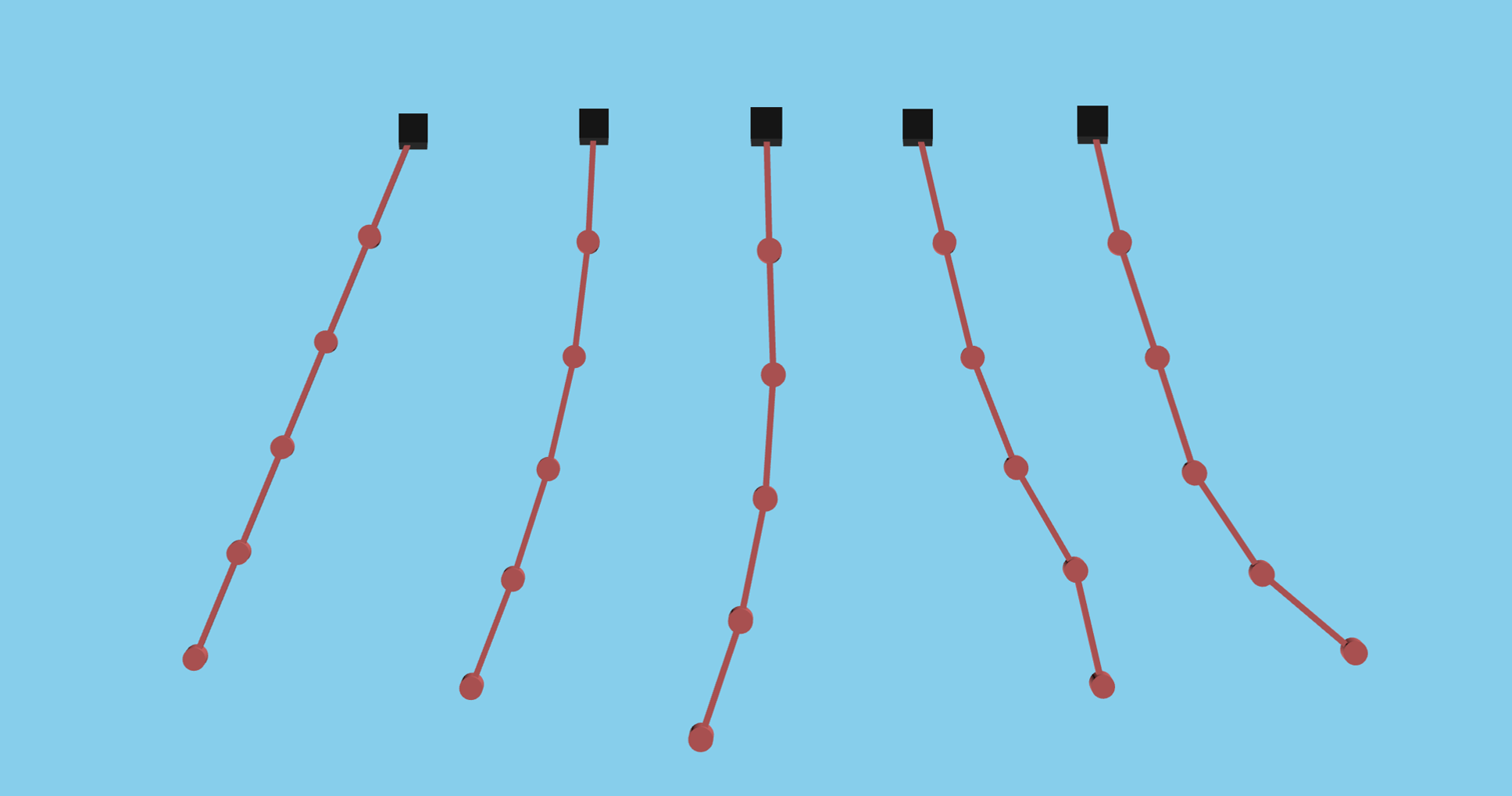
This notebook walks through the process required to create an n-link pendulum multibody simulation in kdflex. This problem is an extension to the 2-link pendulum by creating the pendulum using a procedural approach to allow for an n number of linked bodies to be built at once. This method uses the Karana.Dynamics.PhysicalBody.addSerialChain() method which can be useful for automating the creation of large multibody systems.
Requirements:
In this tutorial we will:
Create the multibody
Setup the kdFlex scene
Add a root visual geometry
Set up the state propagator and models
Set initial state
Register a timed event
Run the simulation
Clean up the simulation
For a more in-depth descriptions of kdflex concepts see usage.
import atexit
import numpy as np
from typing import cast
from math import pi
from Karana.Core import discard, allFinalized
from Karana.Frame import FrameContainer
from Karana.Math import IntegratorType
from Karana.Dynamics import (
    Multibody,
    PhysicalBody,
    PhysicalBody,
    HINGE_TYPE,
    StatePropagator,
    TimedEvent,
    PhysicalBodyParams,
)
from Karana.Math import SpatialInertia, HomTran
from Karana.Models import UniformGravity, UpdateProxyScene, SyncRealTime
from Karana.Scene import (
    BoxGeometry,
    CylinderGeometry,
    Color,
    PhysicalMaterialInfo,
    PhysicalMaterial,
    ScenePartSpec,
)
from Karana.Scene import ProxySceneNode, ProxyScenePart
Create the Multibody#
We create a Multibody in a similar manner to the 2-link pendulum. But instead of defining each body, we define the parameters for one body and pivot and procedurally create our chain by repeating this pattern.
The procedural approach differs from the manual approach in two main ways:
Definition of body parameters using
Karana.Scene.ScenePartSpec, which define each body and its joint connections and visual geometries.
fc = FrameContainer("root")


def createMbody(n_links: int):
    """Create the multibody.

    Parameters
    ----------
    n_links : int
        The number of pendulum links to use.
    """
    mb = Multibody("mb", fc)

    # create visual materials to color the bodies
    mat_info = PhysicalMaterialInfo()
    mat_info.color = Color.FIREBRICK
    brown = PhysicalMaterial(mat_info)

    # using scene part spec to define visual geometry for each procedural body
    sp_body = ScenePartSpec()
    sp_body.name = "sp"
    sp_body.geometry = BoxGeometry(0.05, 0.05, 1)
    sp_body.material = brown
    sp_body.transform = HomTran([0.0, 0.0, 0.0])
    sp_body.scale = [1, 1, 1]

    sp_pivot = ScenePartSpec()
    sp_pivot.name = "sp"
    sp_pivot.geometry = CylinderGeometry(0.1, 0.1)
    sp_pivot.material = brown
    sp_pivot.transform = HomTran([0.0, 0.0, -0.5])
    sp_pivot.scale = [1, 1, 1]

    # Here, we use the addSerialChain method to add multiple instances of the same body
    # connected in a chain. We add n instances of the pendulum link with the following parameters:
    params = PhysicalBodyParams(
        spI=SpatialInertia(2.0, np.zeros(3), np.diag([3, 2, 1])),
        axes=[np.array([0.0, 1.0, 0.0])],
        body_to_joint_transform=HomTran(np.array([0, 0, 0.5])),
        inb_to_joint_transform=HomTran(np.array([0, 0, -0.5])),
        scene_part_specs=[sp_body, sp_pivot],
    )
    PhysicalBody.addSerialChain(
        "link", n_links, cast(PhysicalBody, mb.virtualRoot()), htype=HINGE_TYPE.PIN, params=params
    )

    # finalize and verify the multibody
    mb.ensureCurrent()
    mb.resetData()
    assert allFinalized()

    return mb
In this cell we create the multibody by calling the createMbody we defined in the previous cell. We also print the tree structure using Karana.Dynamics.SubTree.dumpTree() to ensure everything was created properly.
# initialization
n_links = 5
mb = createMbody(n_links)

# Let's dump the multibody structure to make sure we got 5 links.
# The names listed in the tree are the same names as the argument
# passed into the getBody() method on the multibody to obtain a
# specific part. The name link_0 is used later on in the notebook.
mb.dumpTree()
|-mb_MBVROOT_
   |-[PIN] link_0
      |-[PIN] link_1
         |-[PIN] link_2
            |-[PIN] link_3
               |-[PIN] link_4
Setup the kdFlex Scene#
Next we setup kdflex’s graphics by calling the setupGraphics helper method on the multibody. This method takes care of setting up the graphics environment.
See Visualization and SceneLayer for more information relating to this section.
cleanup_graphics, web_scene = mb.setupGraphics(port=0, axes=0.5)

# position the viewpoint camera of the visualization
web_scene.defaultCamera().pointCameraAt(
    [0.0, 5.0 + n_links / 2, -n_links / 2], [0, 0, -n_links / 2], [0, 0, 1]
)
[WebUI] Listening at http://newton:36115
Add Root Visual Geometry#
Here we manually add a visual geometry to the top of the pendulum by implicitly attaching it to the root frame.
# create an box geometry for the first pendulum's root attachment
box_geom = BoxGeometry(0.25, 0.25, 0.25)

# create visual material to color the geometry
mat_info = PhysicalMaterialInfo()
mat_info.color = Color.BLACK
black = PhysicalMaterial(mat_info)

# create an unattached object for the top of the pendulum (implictly attached to the root frame)
proxy_scene = mb.getScene()
root_scene_node = ProxySceneNode("root_scene_node", scene=proxy_scene)
root_part = ProxyScenePart("obstacle_part", scene=proxy_scene, geometry=box_geom, material=black)
root_part.setTranslation([0.0, 0.0, -0.5])
del root_part, box_geom, black, web_scene, root_scene_node
Setup State Propagator, Initialize the State, and Register Models#
Now, we setup the Karana.Dynamics.StatePropagator, initialize the state, and register models.
When accessing or modifying generalized coordinates for a subhinge, it is recommended to directly set the subhinge’s values rather than for the entire multibody in order to avoid ambiguity.
See Models for more concepts and information.
# Set up state propagator and select integrator type: rk4 or cvode
sp = StatePropagator(mb, integrator_type=IntegratorType.RK4)
integrator = sp.getIntegrator()
sp_opts = sp.getOptions()

# Initialize the multibody state.
# Here we will set the first pendulum position to pi/8 radians and its velocity to 0.0
bd1 = mb.getBody("link_0")
bd1.parentHinge().subhinge(0).setQ(pi / 8)
bd1.parentHinge().subhinge(0).setU(0.0)
del bd1

# Initialize the integrator state
t_init = np.timedelta64(0, "ns")
x_init = mb.dynamicsToState()
sp.setTime(t_init)
sp.setState(x_init)

# Syncs up graphics
proxy_scene.update()

# add a gravitational model to the state propagator
ug = UniformGravity("grav_model", sp, mb)
ug.params.g = np.array([0, 0, -9.81])
del ug

# Makes sure the visualization scene is updated after each state change.
UpdateProxyScene("update_proxy_scene", sp, proxy_scene)

# sync the simulation time with real-time.
SyncRealTime("sync_real_time", sp, 1.0)
Register a Timed Event#
To terminate a simulation step every 0.1 seconds, we create a timed event and register it to our state propagator here. See timed events for more information.
def fn(t):
    print(f"t = {float(integrator.getTime())/1e9}s; x = {integrator.getX()}")


h = np.timedelta64(int(1e8), "ns")
t = TimedEvent("hop_size", h, fn, False)
t.period = h

# register the timed event
sp.registerTimedEvent(t)
del t
Run the Simulation#
Now, run the simulation for 10 seconds.
# run the simulation
print(f"t = {float(integrator.getTime())/1e9}s; x = {integrator.getX()}")

# run the simulation
sp.advanceTo(10.0)

# dump the state propagator info
sp.dump("sp")
t = 0.0s; x = [0.39269908 0.         0.         0.         0.         0.
 0.         0.         0.         0.        ]
t = 0.1s; x = [ 3.80340278e-01  8.12769330e-03  2.79542493e-03  9.65472375e-04
  3.60501105e-04 -2.44079278e-01  1.58209078e-01  5.61281060e-02
  1.98558651e-02  7.55656592e-03]
t = 0.2s; x = [ 0.34507586  0.02998853  0.01128284  0.00417915  0.0016506  -0.45263048
  0.26728678  0.11379523  0.04589122  0.01929917]
t = 0.3s; x = [ 0.29201121  0.05862807  0.02553738  0.01051414  0.00450408 -0.59621144
  0.28937159  0.17042355  0.08278804  0.03952919]
t = 0.4s; x = [ 0.22858298  0.08442833  0.04502264  0.02114456  0.00997379 -0.65878327
  0.21103326  0.21604765  0.13148721  0.07219775]
t = 0.5s; x = [ 0.16292629  0.09803276  0.06781809  0.03706003  0.01945294 -0.64274301
  0.05118844  0.23340882  0.18713059  0.12000619]
t = 0.6s; x = [ 0.10204012  0.09344022  0.09010517  0.05844584  0.03450736 -0.56771071
 -0.14379414  0.20298946  0.2385518   0.18357696]
t = 0.7s; x = [ 0.05034501  0.07006893  0.10634499  0.08409136  0.05662697 -0.4644049
 -0.31469685  0.11140524  0.26926843  0.26059414]
t = 0.8s; x = [ 0.0089759   0.03314723  0.11035788  0.11096246  0.08686916 -0.36631556
 -0.40764749 -0.0393914   0.25987457  0.3444787 ]
t = 0.9s; x = [-0.02401012 -0.00778327  0.09722528  0.1341314   0.12536219 -0.29988576
 -0.39310854 -0.22567117  0.19297599  0.42310855]
t = 1.0s; x = [-0.05246333 -0.04205473  0.0654555   0.14733862  0.17074469 -0.27582795
 -0.27909201 -0.40395145  0.06058528  0.4790463 ]
t = 1.1s; x = [-0.08038306 -0.06165693  0.0183864   0.14428316  0.21974101 -0.28671776
 -0.10884258 -0.52392586 -0.12940734  0.49202529]
t = 1.2s; x = [-0.11031576 -0.06395388 -0.03603824  0.12034923  0.26707807 -0.31222695
  0.05708549 -0.54668726 -0.35138554  0.44316667]
t = 1.3s; x = [-0.14251163 -0.05224098 -0.0872181   0.07422596  0.3058818  -0.32834531
  0.16428388 -0.45978731 -0.5660497   0.32021597]
t = 1.4s; x = [-0.17503309 -0.03410181 -0.12491763  0.00882916  0.32859259 -0.31664405
  0.18371342 -0.28279303 -0.73013116  0.1222799 ]
t = 1.5s; x = [-0.20465545 -0.01836173 -0.14220918 -0.06892218  0.32820347 -0.27036074
  0.1196508  -0.06016746 -0.80870079 -0.13890113]
t = 1.6s; x = [-0.22810883 -0.01195431 -0.13720729 -0.14941656  0.29939021 -0.19499518
  0.00374064  0.1544468  -0.78359706 -0.44218085]
t = 1.7s; x = [-0.24312836 -0.01787394 -0.11320413 -0.22213766  0.23921358 -0.10428151
 -0.11943948  0.3131201  -0.65459013 -0.76168005]
t = 1.8s; x = [-0.24899699 -0.03464815 -0.07758699 -0.27732384  0.14742483 -0.01452862
 -0.20733399  0.38301929 -0.43643261 -1.0698156 ]
t = 1.9s; x = [-0.24653589 -0.05715578 -0.04002648 -0.30730058  0.02654583  0.06053203
 -0.23104906  0.35199086 -0.15558255 -1.33904285]
t = 2.0s; x = [-0.23765431 -0.07837751 -0.01024779 -0.30748363 -0.11822947  0.11324859
 -0.18209532  0.23115668  0.15324888 -1.54380069]
t = 2.1s; x = [-0.22466505 -0.09151193  0.00423693 -0.27700468 -0.27932687  0.14320403
 -0.07291046  0.05292     0.45107227 -1.66223368]
t = 2.2s; x = [-2.09585781e-01 -9.18782916e-02 -2.37091089e-05 -2.18975171e-01
 -4.47199708e-01  1.56520052e-01  6.74624198e-02 -1.35136407e-01
  6.97676726e-01 -1.67681152e+00]
t = 2.3s; x = [-0.19355405 -0.07827129 -0.02131216 -0.14048839 -0.61079679  0.16436295
  0.19977416 -0.27892849  0.85427638 -1.57532899]
t = 2.4s; x = [-0.17644386 -0.05355494 -0.05269741 -0.0521945  -0.75825205  0.18018423
  0.28381218 -0.33089775  0.89013121 -1.35444998]
t = 2.5s; x = [-0.15688231 -0.02408816 -0.08355787  0.03307348 -0.87798937  0.21445583
  0.29233193 -0.2675606   0.79421763 -1.02360717]
t = 2.6s; x = [-0.13285325  0.00226462 -0.10269115  0.10272751 -0.95996763  0.26888664
  0.22373089 -0.1014471   0.58262782 -0.60310816]
t = 2.7s; x = [-0.10269606  0.01886823 -0.10183263  0.14695996 -0.99639634  0.33492132
  0.10324417  0.12316162  0.29313363 -0.1163738 ]
t = 2.8s; x = [-0.06597349  0.02255626 -0.07811923  0.16033529 -0.98175144  0.39752019
 -0.02708492  0.34510085 -0.02623681  0.4147474 ]
t = 2.9s; x = [-0.02384167  0.01465071 -0.03502809  0.14242231 -0.91275049  0.44074808
 -0.12175522  0.50103316 -0.32413494  0.96607598]
t = 3.0s; x = [ 2.11199614e-02  6.13849564e-04  1.81336600e-02  9.79359634e-02
 -7.88988499e-01  4.52823094e-01 -1.45831759e-01  5.40434121e-01
 -5.49826061e-01  1.50308468e+00]
t = 3.1s; x = [ 0.06553732 -0.01173136  0.06839572  0.03633586 -0.61422131  0.43012601
 -0.08893914  0.44327321 -0.66075494  1.97715488]
t = 3.2s; x = [ 0.10616573 -0.01509535  0.10286151 -0.02951276 -0.39760136  0.37880153
  0.02790091  0.23171511 -0.63294536  2.33046598]
t = 3.3s; x = [ 0.14078428 -0.00562796  0.11285603 -0.08563255 -0.15400894  0.31247792
  0.15914976 -0.03401721 -0.4692197   2.50914153]
t = 3.4s; x = [ 0.16868008  0.01546096  0.09689682 -0.1198983   0.09734974  0.24657585
  0.25257218 -0.27426868 -0.20416339  2.48446163]
t = 3.5s; x = [ 0.19047406  0.0423184   0.06128264 -0.12513275  0.33656002  0.19131739
  0.27084128 -0.41801679  0.09987652  2.2728851 ]
t = 3.6s; x = [ 0.2073418   0.06681439  0.01778261 -0.10096206  0.54760154  0.14734156
  0.20703666 -0.43015763  0.37358915  1.93270504]
t = 3.7s; x = [ 0.2200855   0.08169628 -0.02058687 -0.05317572  0.7212133   0.10725692
  0.08413663 -0.32015169  0.56626014  1.535448  ]
t = 3.8s; x = [ 0.22859301  0.08295218 -0.04348364  0.0088017   0.85475339  0.06107629
 -0.05859564 -0.12892601  0.6560276   1.13901836]
t = 3.9s; x = [ 2.31823995e-01  7.06902888e-02 -4.54296049e-02  7.46197353e-02
  9.50280280e-01  7.49466911e-04 -1.79946170e-01  8.98322040e-02
  6.44890100e-01  7.79505108e-01]
t = 4.0s; x = [ 0.22813213  0.04882271 -0.0263858   0.13497684  1.01251613 -0.07751167
 -0.24635349  0.28271363  0.55069698  0.47500705]
t = 4.1s; x = [ 0.21577632  0.0239152   0.00875724  0.18289807  1.04730442 -0.17154888
 -0.23948408  0.40605869  0.40121571  0.23042478]
t = 4.2s; x = [ 0.19358923  0.00333098  0.05162246  0.21442703  1.06042208 -0.27197369
 -0.16234303  0.43512262  0.22788008  0.03981165]
t = 4.3s; x = [ 0.16168195 -0.00698051  0.09256045  0.22861876  1.05658799 -0.36300125
 -0.03952654  0.36943938  0.05833632 -0.11161055]
t = 4.4s; x = [ 0.12191942 -0.00431178  0.1230106   0.22686348  1.03873657 -0.42610624
  0.0904737   0.23019824 -0.08885445 -0.24412866]
t = 4.5s; x = [ 0.07794729  0.00999031  0.13726899  0.21190811  1.00765606 -0.44502019
  0.18701743  0.05177534 -0.20489287 -0.37981067]
t = 4.6s; x = [ 0.0347247   0.03088294  0.13333129  0.1869921   0.9619683  -0.41043294
  0.21844856 -0.12765255 -0.28820599 -0.53946224]
t = 4.7s; x = [-0.00236392  0.0509763   0.11286045  0.15528465  0.89838921 -0.32360298
  0.1705714  -0.27406608 -0.34130606 -0.73991692]
t = 4.8s; x = [-0.02867385  0.06255015  0.08045034  0.11960025  0.81228408 -0.19815624
  0.05134652 -0.3636717  -0.36850799 -0.99070074]
t = 4.9s; x = [-0.04152416  0.05981188  0.04239197  0.08227612  0.69861919 -0.05938532
 -0.10904872 -0.3867539  -0.37501297 -1.28936127]
t = 5.0s; x = [-0.04120898  0.04091735  0.00516238  0.04507414  0.55345507  0.05940766
 -0.26313874 -0.34940279 -0.36724127 -1.61545644]
t = 5.1s; x = [-0.03145138  0.00918322 -0.02614378  0.0090287   0.37600734  0.12464417
 -0.35785732 -0.27267887 -0.35330934 -1.92618118]
t = 5.2s; x = [-0.01883213 -0.0273192  -0.0490563  -0.02567712  0.17070719  0.11500941
 -0.354967   -0.18637704 -0.34165294 -2.16256067]
t = 5.3s; x = [-0.01090998 -0.05837252 -0.06398519 -0.05954894 -0.05227146  0.03350287
 -0.25210671 -0.11593966 -0.33676575 -2.27390011]
t = 5.4s; x = [-0.013645   -0.07555008 -0.07310922 -0.09314723 -0.27938504 -0.09218678
 -0.08573936 -0.07009018 -0.33481748 -2.24690192]
t = 5.5s; x = [-0.02952832 -0.07524288 -0.07855803 -0.12622427 -0.49795644 -0.22308123
  0.08832279 -0.04010936 -0.32403706 -2.1101422 ]
t = 5.6s; x = [-0.05724813 -0.0593766  -0.08112509 -0.15717896 -0.69933942 -0.32406074
  0.21830743 -0.00998342 -0.29021451 -1.91096895]
t = 5.7s; x = [-0.09254362 -0.03422665 -0.08013309 -0.18313357 -0.87947095 -0.37203703
  0.2704937   0.03215915 -0.22286821 -1.69062901]
t = 5.8s; x = [-0.12957117 -0.00825374 -0.07422636 -0.20050944 -1.0375892  -0.35858333
  0.23541652  0.08746104 -0.11878085 -1.47315148]
t = 5.9s; x = [-0.16237153  0.01039233 -0.06251558 -0.20580007 -1.17443705 -0.28949943
  0.1282829   0.14584044  0.01748972 -1.26506045]
t = 6.0s; x = [-0.18615354  0.01609418 -0.04551395 -0.19629537 -1.29070167 -0.18163193
 -0.01684898  0.19027369  0.17479083 -1.05954529]
t = 6.1s; x = [-0.1981584   0.0071807  -0.02552306 -0.1706863  -1.38593739 -0.05790963
 -0.15683465  0.20307134  0.33633851 -0.84160628]
t = 6.2s; x = [-0.19799978 -0.01369751 -0.00638082 -0.12961254 -1.4579977   0.05803007
 -0.25016724  0.17219048  0.48004419 -0.59303447]
t = 6.3s; x = [-0.18746433 -0.04028503  0.00739537 -0.07612949 -1.50295577  0.14721868
 -0.26802898  0.09684694  0.58023532 -0.29719111]
t = 6.4s; x = [-0.16980041 -0.06449746  0.01191643 -0.01584034 -1.51547253  0.19994929
 -0.20376013 -0.00955003  0.61269037  0.05703766]
t = 6.5s; x = [-0.14867613 -0.0788431   0.00526621  0.04357951 -1.48945075  0.21746814
 -0.07548785 -0.12182958  0.56111246  0.47369297]
t = 6.6s; x = [-0.127164   -0.07864085 -0.0116496   0.09339251 -1.41870673  0.20985952
  0.08031338 -0.21001636  0.42080794  0.95069319]
t = 6.7s; x = [-0.10705606 -0.06331629 -0.03500713  0.12498393 -1.29753325  0.19193959
  0.21984607 -0.24683593  0.19884582  1.4804533 ]
t = 6.8s; x = [-0.08860352 -0.03658338 -0.05865115  0.13103892 -1.12136876  0.17903564
  0.30282015 -0.2138738  -0.08551123  2.046639  ]
t = 6.9s; x = [-0.07067001 -0.00559414 -0.07527141  0.10694529 -0.88809385  0.182925
  0.30231338 -0.10742495 -0.39632676  2.61450754]
t = 7.0s; x = [-0.05127849  0.020863   -0.07818781  0.05287975 -0.600675    0.20811379
  0.21389976  0.05521539 -0.67233724  3.11401464]
t = 7.1s; x = [-0.02848641  0.03501968 -0.06372436 -0.02338837 -0.27144685  0.24910105
  0.0633272   0.2311316  -0.82469492  3.42882892]
t = 7.2s; x = [-1.44512634e-03  3.32875646e-02 -3.35564848e-02 -1.05037565e-01
  7.47209484e-02  2.89836764e-01 -9.30567961e-02  3.59510755e-01
 -7.71208119e-01  3.43852667e+00]
t = 7.3s; x = [ 0.02877045  0.01840248  0.00492836 -0.17037526  0.40514547  0.30954132
 -0.19102397  0.3930221  -0.50608832  3.12255454]
t = 7.4s; x = [ 5.92746842e-02 -1.73403089e-03  4.15911210e-02 -2.01856621e-01
  6.91787718e-01  2.94520963e-01 -1.96280393e-01  3.25499026e-01
 -1.11235549e-01  2.58539209e+00]
t = 7.5s; x = [ 0.08647908 -0.01793598  0.06751042 -0.19173     0.91931112  0.24459566
 -0.11637462  0.18425033  0.31072427  1.95934153]
t = 7.6s; x = [ 0.10737596 -0.0232652   0.07734262 -0.14148165  1.08382479  0.17085397
  0.01427992  0.01123001  0.68026068  1.33685508]
t = 7.7s; x = [ 0.12043009 -0.01487805  0.07026594 -0.05934732  1.18867167  0.09085895
  0.15030458 -0.14608817  0.94059667  0.77319496]
t = 7.8s; x = [ 0.12597128  0.00546729  0.05018584  0.04166307  1.24164843  0.02339104
  0.24694982 -0.24244321  1.05343394  0.30417217]
t = 7.9s; x = [ 0.12600131  0.03210644  0.0248265   0.14596259  1.25338175 -0.01793868
  0.27305331 -0.24940885  1.00737909 -0.04993694]
t = 8.0s; x = [ 0.12339485  0.05745323  0.00330726  0.23852112  1.2355191  -0.02970198
  0.22241179 -0.16852776  0.82469687 -0.28968144]
t = 8.1s; x = [ 0.12085433  0.07460502 -0.00686185  0.30781343  1.1985979  -0.01822437
  0.11377964 -0.02858938  0.5501177  -0.4357001 ]
t = 8.2s; x = [ 0.12015512  0.07935507 -0.00178956  0.34706239  1.15046903  0.00512034
 -0.0196753   0.12938674  0.2311179  -0.51934286]
t = 8.3s; x = [ 0.12187333  0.0710573   0.01826356  0.35388978  1.09570288  0.02825335
 -0.14138627  0.26484082 -0.09240412 -0.57383983]
t = 8.4s; x = [ 0.12544723  0.05257182  0.04927286  0.32953921  1.03562444  0.04079972
 -0.21885886  0.34374393 -0.38732801 -0.63055689]
t = 8.5s; x = [ 0.1294379   0.02953253  0.08430533  0.27838303  0.96856882  0.03590111
 -0.23023214  0.3426895  -0.62382746 -0.71768131]
t = 8.6s; x = [ 0.13197988  0.00893803  0.11482378  0.20763287  0.89029893  0.01216308
 -0.17103701  0.25378281 -0.7753097  -0.85791407]
t = 8.7s; x = [ 0.131394   -0.00282292  0.13244969  0.12684184  0.79475199 -0.02529309
 -0.05809971  0.08843762 -0.82240302 -1.06424707]
t = 8.8s; x = [ 0.12680286 -0.00204977  0.13094022  0.04689842  0.67527313 -0.06595087
  0.07253666 -0.12233454 -0.75876737 -1.33458738]
t = 8.9s; x = [ 0.11851378  0.0107119   0.10800671 -0.02158101  0.52641491 -0.09738785
  0.17383805 -0.33138334 -0.5971235  -1.64596804]
t = 9.0s; x = [ 0.1079486   0.03023146  0.06656039 -0.07041209  0.34625555 -0.11074522
  0.20199773 -0.48389902 -0.37368709 -1.95079226]
t = 9.1s; x = [ 0.09697512  0.04787895  0.0147018  -0.09612066  0.13866722 -0.10676005
  0.13611048 -0.53433329 -0.14468482 -2.18334232]
t = 9.2s; x = [ 0.08678186  0.0548107  -0.03630141 -0.10113093 -0.08596943 -0.09798972
 -0.00600398 -0.46781498  0.03231758 -2.28442431]
t = 9.3s; x = [ 0.07691257  0.04582501 -0.07570181 -0.0925646  -0.31300371 -0.10331063
 -0.17213604 -0.30912858  0.12451076 -2.23150205]
t = 9.4s; x = [ 0.06511558  0.02165249 -0.09672299 -0.07901576 -0.52778595 -0.13829805
 -0.30056131 -0.10942553  0.13505369 -2.04551212]
t = 9.5s; x = [ 0.04805458 -0.01146767 -0.09805222 -0.06736524 -0.71911973 -0.2083674
 -0.34620081  0.0766451   0.09217341 -1.77017964]
t = 9.6s; x = [ 0.02247882 -0.04426964 -0.08325909 -0.06119633 -0.8802723  -0.3063202
 -0.29475566  0.20807519  0.03087558 -1.44798454]
t = 9.7s; x = [-0.01354305 -0.0677052  -0.0589626  -0.06082355 -1.00815836 -0.41345672
 -0.16417895  0.2654784  -0.01991817 -1.10852869]
t = 9.8s; x = [-0.05967527 -0.07581401 -0.03260224 -0.06422622 -1.10194107 -0.50410881
  0.00369028  0.25132849 -0.04283414 -0.76755169]
t = 9.9s; x = [-0.11294311 -0.06744222 -0.01048559 -0.06826189 -1.16181314 -0.55231871
  0.15703804  0.18461507 -0.03268267 -0.43066941]
t = 10.0s; x = [-0.16805539 -0.04646982  0.00346486 -0.06981977 -1.18821722 -0.53879608
  0.24948818  0.09258339  0.00506396 -0.097956  ]
Clean Up the Simulation#
Below, we cleanup our simulation. We first delete local variables, cleanup our visualizer, discard remaining Karana objects, and optionally verify using allDestroyed.
# Cleanup
def cleanup():
    global integrator, sp_opts, proxy_scene
    del integrator, sp_opts, proxy_scene
    discard(sp)
    cleanup_graphics()
    discard(mb)
    discard(fc)


atexit.register(cleanup)
<function __main__.cleanup()>
Summary#
Great work! You now understand how to procedurally create a multibody using Karana.Dynamics.PhysicalBody.addSerialChain() instead of defining each part individually. You learned how creating these bodies requires the use of parameters like Karana.Scene.ScenePartSpec, and how to add a root geometry that the pendulum attaches to.
Further Readings#
Benchmark the n-link pendulum
Benchmark the n-link pendulum against conventional methods
Simulate collisions with a n-link pendulum